Registration is limited to Google Gmail & MailRU & Yahoo & Yandex email addresses.
Do not create multi-accounts, you will be blocked!
All Activity
Past hour
-
1231 joined the community
-
 Hm? What's up?
 -
this dude...
-
filip blaszczyk changed their profile photo
-
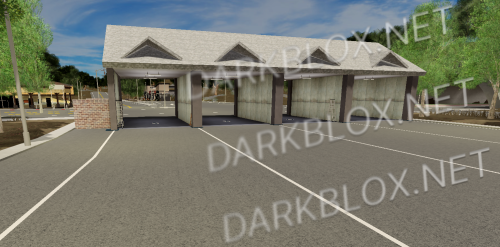
.thumb.webp.b37d68f76f7e26f9a1ff1ca6aa4f5c7b.webp) Oxford Response [Save Instanced]Heads up! I did NOT create this game, I only Save Instanced and uploaded it to DarkBlox for others to be able to have access to and use the file. All credits belong to the original owners, creators, and developers of the game. Enjoy and happy developing! 😃 You can make a Save Instance request by creating a Support Ticket within the [VS] Visionary Studios Discord Server (https://discord.gg/D3GusB9qWK). Disclaimers:I am not responsible for the quality of the game. I am not responsible for any bugs or missing assets, models, scripts, etc. I am not required to provide any additional support on how to make the game work. (BUT I am always willing to TRY my best to help you with any questions/issues you may have via DarkBlox Messages or Discord (@austinparks)) Before You Play:For the best chance of the game working, please ensure the following: You have published the game to Roblox. You have enabled HTTP Requests. You have enabled Studio Access to API services. Additional Notes:Based on the game, you may also need to do the following to ensure it works properly: Spoof or replace any missing animations. Replace any missing/deleted IDs for assets, animations, audios, decals, etc. Change the character rig type from R15 to R6 or vice versa Be sure to also check out the “THANK YOU!” script in the Explorer for possible solutions to other common problems.Free
Oxford Response [Save Instanced]Heads up! I did NOT create this game, I only Save Instanced and uploaded it to DarkBlox for others to be able to have access to and use the file. All credits belong to the original owners, creators, and developers of the game. Enjoy and happy developing! 😃 You can make a Save Instance request by creating a Support Ticket within the [VS] Visionary Studios Discord Server (https://discord.gg/D3GusB9qWK). Disclaimers:I am not responsible for the quality of the game. I am not responsible for any bugs or missing assets, models, scripts, etc. I am not required to provide any additional support on how to make the game work. (BUT I am always willing to TRY my best to help you with any questions/issues you may have via DarkBlox Messages or Discord (@austinparks)) Before You Play:For the best chance of the game working, please ensure the following: You have published the game to Roblox. You have enabled HTTP Requests. You have enabled Studio Access to API services. Additional Notes:Based on the game, you may also need to do the following to ensure it works properly: Spoof or replace any missing animations. Replace any missing/deleted IDs for assets, animations, audios, decals, etc. Change the character rig type from R15 to R6 or vice versa Be sure to also check out the “THANK YOU!” script in the Explorer for possible solutions to other common problems.Free -
Oxford Response [Save Instanced] Oxford Response [Save Instanced]Heads up! I did NOT create this game, I only Save Instanced and uploaded it to DarkBlox for others to be able to have access to and use the file. All credits belong to the original owners, creators, and developers of the game. Enjoy and happy developing! 😃 You can make a Save Instance request by creating a Support Ticket within the [VS] Visionary Studios Discord Server (https://discord.gg/D3GusB9qWK). Disclaimers:I am not responsible for the quality of the game. I am not responsible for any bugs or missing assets, models, scripts, etc. I am not required to provide any additional support on how to make the game work. (BUT I am always willing to TRY my best to help you with any questions/issues you may have via DarkBlox Messages or Discord (@austinparks)) Before You Play:For the best chance of the game working, please ensure the following: You have published the game to Roblox. You have enabled HTTP Requests. You have enabled Studio Access to API services. Additional Notes:Based on the game, you may also need to do the following to ensure it works properly: Spoof or replace any missing animations. Replace any missing/deleted IDs for assets, animations, audios, decals, etc. Change the character rig type from R15 to R6 or vice versa Be sure to also check out the “THANK YOU!” script in the Explorer for possible solutions to other common problems. File Information Submitter Austin Parks Submitted 09/19/26 Category Dexxed & Maps View File
-
syarif hafidz atthalah changed their profile photo
-
benjam123XD changed their profile photo
-
Martin Tournemeule changed their profile photo
-
homer simpson changed their profile photo
-
-
xccds ccscsc joined the community
-
sirnik joined the community
-
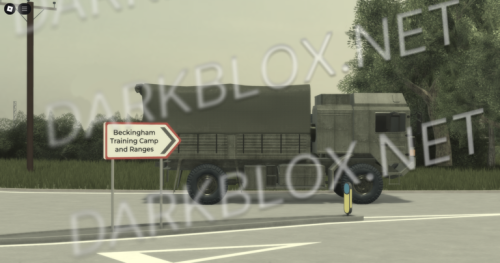
Beckingham Training Camp, Lincolnshire [Save Instanced] Beckingham Training Camp, Lincolnshire [Save Instanced]Heads up! I did NOT create this game, I only Save Instanced and uploaded it to DarkBlox for others to be able to have access to and use the file. All credits belong to the original owners, creators, and developers of the game. Enjoy and happy developing! 😃 You can make a Save Instance request by creating a Support Ticket within the [VS] Visionary Studios Discord Server (https://discord.gg/D3GusB9qWK). Disclaimers:I am not responsible for the quality of the game. I am not responsible for any bugs or missing assets, models, scripts, etc. I am not required to provide any additional support on how to make the game work. (BUT I am always willing to TRY my best to help you with any questions/issues you may have via DarkBlox Messages or Discord (@austinparks)) Before You Play:For the best chance of the game working, please ensure the following: You have published the game to Roblox. You have enabled HTTP Requests. You have enabled Studio Access to API services. Additional Notes:Based on the game, you may also need to do the following to ensure it works properly: Spoof or replace any missing animations. Replace any missing/deleted IDs for assets, animations, audios, decals, etc. Change the character rig type from R15 to R6 or vice versa Be sure to also check out the “THANK YOU!” script in the Explorer for possible solutions to other common problems. File Information Submitter Austin Parks Submitted 09/19/26 Category Dexxed & Maps View File
-
Beckingham Training Camp, Lincolnshire [Save Instanced]Heads up! I did NOT create this game, I only Save Instanced and uploaded it to DarkBlox for others to be able to have access to and use the file. All credits belong to the original owners, creators, and developers of the game. Enjoy and happy developing! 😃 You can make a Save Instance request by creating a Support Ticket within the [VS] Visionary Studios Discord Server (https://discord.gg/D3GusB9qWK). Disclaimers:I am not responsible for the quality of the game. I am not responsible for any bugs or missing assets, models, scripts, etc. I am not required to provide any additional support on how to make the game work. (BUT I am always willing to TRY my best to help you with any questions/issues you may have via DarkBlox Messages or Discord (@austinparks)) Before You Play:For the best chance of the game working, please ensure the following: You have published the game to Roblox. You have enabled HTTP Requests. You have enabled Studio Access to API services. Additional Notes:Based on the game, you may also need to do the following to ensure it works properly: Spoof or replace any missing animations. Replace any missing/deleted IDs for assets, animations, audios, decals, etc. Change the character rig type from R15 to R6 or vice versa Be sure to also check out the “THANK YOU!” script in the Explorer for possible solutions to other common problems.Free
-
Gabriel Ramos joined the community
-
whendo youshit joined the community
-
Wertir3 joined the community
-
sasaki hirose joined the community
-
Hanbyeol_24 joined the community
-
-
.thumb.png.990c99eea5c2ba4a3c29b732847e5bad.png) Who can gave me full game?
Who can gave me full game? Today
-
Ic cold changed their profile photo
-
-
-
Casetocute changed their profile photo
-
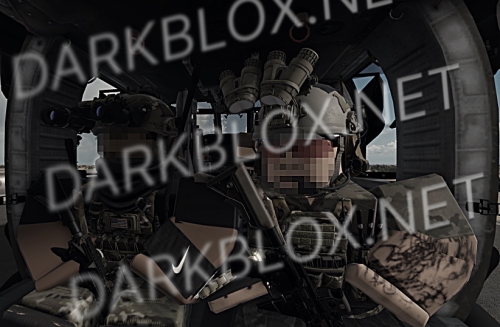 how do i get the acs to work im new to these acs
 -
-
Just download it because everything is scripted, most likely WONT work in studio and only work ingame.Free
-
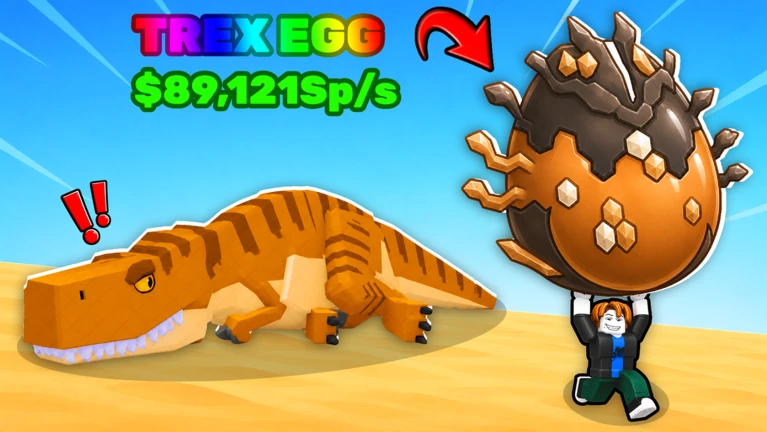
Steal an Egg Fully scripted Just download it because everything is scripted, most likely WONT work in studio and only work ingame. File Information Submitter JS Leaks Submitted 09/19/26 Category Simulators View File
-
ivan Emiliano changed their profile photo
-
Gusiuz1234 changed their profile photo
-
adam Zaporowski changed their profile photo
-
-
 For some reason, when trying to export this whole system into another game, it breaks completely for me. The vehicles go flying and the tracks all break. Might be external scripts or something in my game, but eh. I also was very upset about that sick Flak Buss 88 not working, but the tanks are cool anyways. Love it.
 -
 good scripts thankss
 -
-
-
-
-
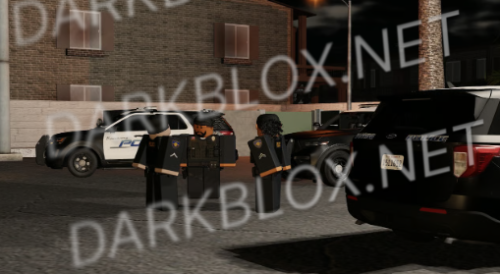
Banning California {finshed} Straight from payhip 10 bucks of of og. 🚔 BANNING, CALIFORNIA ROLEPLAYStep into a fully scripted law enforcement experience set in the city of Banning, California — built for players who want realism, structure, and immersive roleplay. This isn’t a basic RP game. Every system is scripted to create authentic patrol scenarios, realistic responses, and cinematic gameplay. 👮 DepartmentsBanning Police Department (BPD) Riverside Sheriff’s Department (RSD) Realistic patrol units and equipment Multi-unit response roleplay California-style policing environment ⚙️ Features✅ Fully scripted systems ✅ Realistic emergency lighting & vehicles ✅ Smooth, immersive gameplay ✅ Detailed nighttime environment ✅ Serious roleplay focused design ✅ Active patrol and traffic stop scenarios Every call feels real — from routine stops to high-priority responses. 🌴 The ExperiencePatrol the streets of Banning under city lights, coordinate with other officers, and experience a realistic Southern California roleplay environment designed for immersion and professionalism. Whether you’re running traffic enforcement or responding to scenes with multiple units, the game delivers a cinematic RP experience. 💲 Price$30 Built for players who want quality, realism, and scripted gameplay — not chaos. File Information Submitter Ethan jack Submitted 09/19/26 Category Scripted View File
-
Straight from payhip 10 bucks of of og. 🚔 BANNING, CALIFORNIA ROLEPLAYStep into a fully scripted law enforcement experience set in the city of Banning, California — built for players who want realism, structure, and immersive roleplay. This isn’t a basic RP game. Every system is scripted to create authentic patrol scenarios, realistic responses, and cinematic gameplay. 👮 DepartmentsBanning Police Department (BPD) Riverside Sheriff’s Department (RSD) Realistic patrol units and equipment Multi-unit response roleplay California-style policing environment ⚙️ Features✅ Fully scripted systems ✅ Realistic emergency lighting & vehicles ✅ Smooth, immersive gameplay ✅ Detailed nighttime environment ✅ Serious roleplay focused design ✅ Active patrol and traffic stop scenarios Every call feels real — from routine stops to high-priority responses. 🌴 The ExperiencePatrol the streets of Banning under city lights, coordinate with other officers, and experience a realistic Southern California roleplay environment designed for immersion and professionalism. Whether you’re running traffic enforcement or responding to scenes with multiple units, the game delivers a cinematic RP experience. 💲 Price$30 Built for players who want quality, realism, and scripted gameplay — not chaos.20.00 USD
-
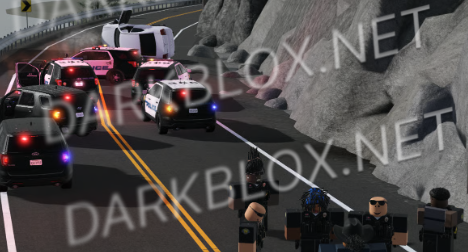
Santa Vina Cali {Finshed} This is the completely finished Santa vina straight from pay hip for 15 dollars off og. 🌄 Santa Vina, California | $40Experience Northern California Like Never Before Welcome to Santa Vina, a breathtaking fictional region inspired by Northern California’s rugged landscapes and sun-soaked valleys. Explore miles of mountainous terrain, traversal dirt roads, and realistic NorCal scenery that bring your roleplay world to life. 💼 Included Departments: 🚓 Santa Vina Police Department (SVPD) 🚔 Monte Espino Sheriff’s Office (MESO) 🚨 California Highway Patrol (CHP) 🛠️ Features: Fully custom ACS system High-quality civilian vehicles Smooth terrain transitions from mountains to coastlines Realistic NorCal-style city and rural areas Optimized map design for performance and roleplay 🎮 Whether you’re patrolling the highways, exploring backroads, or running your own RP community — Santa Vina delivers an authentic and immersive experience for any California-based roleplay server. File Information Submitter Ethan jack Submitted 09/19/26 Category Maps View File



.thumb.png.a650ed5120f7f68cc01a34805da92b61.png)