Registration is limited to Google Gmail & MailRU & Yahoo & Yandex email addresses.
Do not create multi-accounts, you will be blocked!
All Activity
Past hour
-
idkmanguy200 changed their profile photo
-
Keyly Store changed their profile photo
-
MaTeUs MiNiS changed their profile photo
-
-
Denmark joined the community
-
Ricky Zarate joined the community
-
fjlndhfnld joined the community
-
01Imper UK joined the community
-
5starz joined the community
-
Jordan Lewis joined the community
-
dwqwdqqwd joined the community
-
KratosEs joined the community
-
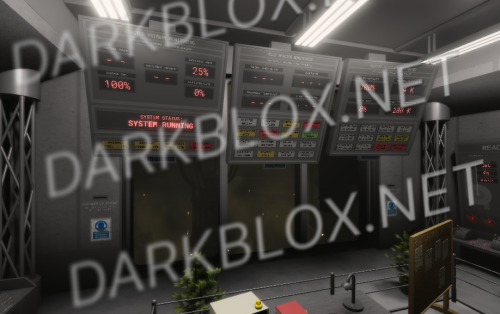
.thumb.webp.77bfffebc48fdf1e8bac1ab6eba86c8b.webp) Project: Afternight [Save Instanced]Heads up! I did NOT create this game, I only Save Instanced and uploaded it to DarkBlox for others to be able to have access to and use the file. All credits belong to the original owners, creators, and developers of the game. Enjoy and happy developing! 😃 You can make a Save Instance request by creating a Support Ticket within the [VS] Visionary Studios Discord Server (https://discord.gg/D3GusB9qWK). Disclaimers:I am not responsible for the quality of the game. I am not responsible for any bugs or missing assets, models, scripts, etc. I am not required to provide any additional support on how to make the game work. (BUT I am always willing to TRY my best to help you with any questions/issues you may have via DarkBlox Messages or Discord (@austinparks)) Before You Play:For the best chance of the game working, please ensure the following: You have published the game to Roblox. You have enabled HTTP Requests. You have enabled Studio Access to API services. Additional Notes:Based on the game, you may also need to do the following to ensure it works properly: Spoof or replace any missing animations. Replace any missing/deleted IDs for assets, animations, audios, decals, etc. Change the character rig type from R15 to R6 or vice versa Be sure to also check out the “THANK YOU!” script in the Explorer for possible solutions to other common problems.Free
Project: Afternight [Save Instanced]Heads up! I did NOT create this game, I only Save Instanced and uploaded it to DarkBlox for others to be able to have access to and use the file. All credits belong to the original owners, creators, and developers of the game. Enjoy and happy developing! 😃 You can make a Save Instance request by creating a Support Ticket within the [VS] Visionary Studios Discord Server (https://discord.gg/D3GusB9qWK). Disclaimers:I am not responsible for the quality of the game. I am not responsible for any bugs or missing assets, models, scripts, etc. I am not required to provide any additional support on how to make the game work. (BUT I am always willing to TRY my best to help you with any questions/issues you may have via DarkBlox Messages or Discord (@austinparks)) Before You Play:For the best chance of the game working, please ensure the following: You have published the game to Roblox. You have enabled HTTP Requests. You have enabled Studio Access to API services. Additional Notes:Based on the game, you may also need to do the following to ensure it works properly: Spoof or replace any missing animations. Replace any missing/deleted IDs for assets, animations, audios, decals, etc. Change the character rig type from R15 to R6 or vice versa Be sure to also check out the “THANK YOU!” script in the Explorer for possible solutions to other common problems.Free -
Project: Afternight [Save Instanced] Project: Afternight [Save Instanced]Heads up! I did NOT create this game, I only Save Instanced and uploaded it to DarkBlox for others to be able to have access to and use the file. All credits belong to the original owners, creators, and developers of the game. Enjoy and happy developing! 😃 You can make a Save Instance request by creating a Support Ticket within the [VS] Visionary Studios Discord Server (https://discord.gg/D3GusB9qWK). Disclaimers:I am not responsible for the quality of the game. I am not responsible for any bugs or missing assets, models, scripts, etc. I am not required to provide any additional support on how to make the game work. (BUT I am always willing to TRY my best to help you with any questions/issues you may have via DarkBlox Messages or Discord (@austinparks)) Before You Play:For the best chance of the game working, please ensure the following: You have published the game to Roblox. You have enabled HTTP Requests. You have enabled Studio Access to API services. Additional Notes:Based on the game, you may also need to do the following to ensure it works properly: Spoof or replace any missing animations. Replace any missing/deleted IDs for assets, animations, audios, decals, etc. Change the character rig type from R15 to R6 or vice versa Be sure to also check out the “THANK YOU!” script in the Explorer for possible solutions to other common problems. File Information Submitter Austin Parks Submitted 09/26/26 Category Dexxed & Maps View File
Today
-
.thumb.webp.376e81c89e19ba69cb9d6faacd6c936e.webp) what is the 3rd code
what is the 3rd code -
 нах ты сливаешь что уже слито
 -
gully bub changed their profile photo
-
-
Aiden Cohee changed their profile photo
-
-
 After reading all the "README" you sound fucking corny like wdym "dorks thinking that they removed all my accounts from whitelist :rofl: maybe opening your game to open-beta is the only way to stop me uploading those files, I'm gonna keep waiting until someone from the string dev team will contact me and pass me everything I want:" you're not some badass villain
 -
-
Hey all, im looking for someone to help me extract TSC's assets, systems and animations so I can upload the systems here, I want to extract the lockdown systems, the door systems, the uniform systems, the nuke systems, and literally EVERY system in the game, If this is something that interests you HMU ASAP
-
the code please
-
Randythelarper changed their profile photo
Yesterday
-
blaze vrgaming2 changed their profile photo
-
 May I join alliances with you? I'm not tryna have my fucking skin peeled off by Satan's reincarnate today ngl.
 -
shut the fuck up bitch its me
-
https://clearlydev.com/product/us-marine-gear-iraq-2004-2005-scripted
-
Valentina Acevedo changed their profile photo
-
Trannam changed their profile photo
-
badman23 changed their profile photo
-
 One question, how do i make guns show on screen when equipped? they simply dont have a First Person animation and Aim animation
 -
-
mainly need uniforms.
-
-
can u invite me to the discord my user is byraqdar
-

-
Ну я хочу скачать
-
 when kansas👀
 -
-
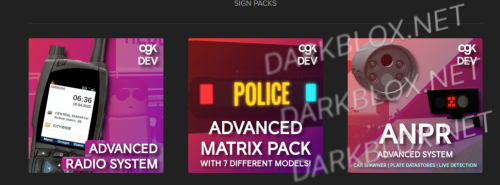
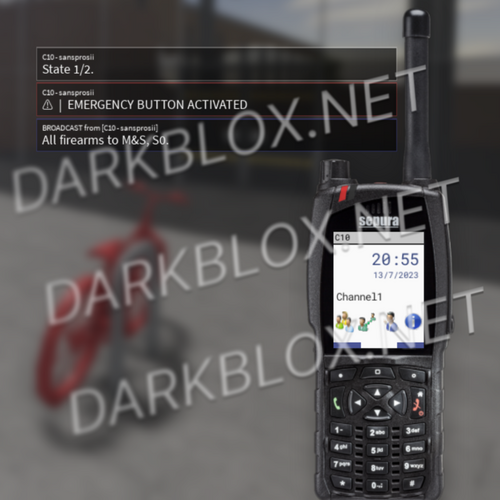
CGK - GOLDMINE CGK: Radio Matrix ANPR CAD SPEED CAMERAS holy shit i spent alot money on these, but it is worth it for their quality ALL PRODUCTS ARE UNDER A LICENCE USE FOR ASSETS OR FOR CRACKING. Информация о файле Автор venom4231 Добавлено 26.09.2026 Категория Systems Просмотреть файл
-









.thumb.png.29e81e0181180bc20c7d0c0d63d97506.png)