Registration is limited to Google Gmail & MailRU & Yahoo & Yandex email addresses.
Do not create multi-accounts, you will be blocked!
All Activity
Past hour
-
Jumpingmoreks361 changed their profile photo
-
-
Kexik joined the community
-
-
Neo_awa joined the community
-
Lord Studios joined the community
-
erthjytrewertghj joined the community
-
-
Nhu Nguyenthi joined the community
-
Hhhsd Hhhsd joined the community
-
Freeman Morrison joined the community
-
ruii joined the community
Today
-
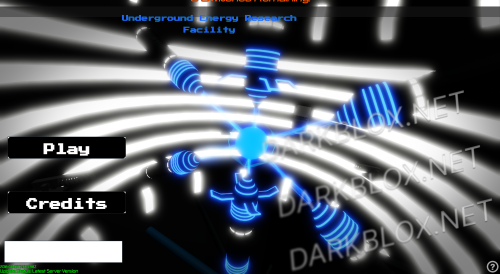 bad bad bad bad bad..... bad bad bad.......... bad...... eye retina hurting
 -
-
-
.thumb.webp.e0fc99523da4155ac445097a30e0c22f.webp) Great! I always thought this was the better map.
Great! I always thought this was the better map. -
.thumb.webp.fd3c70012ee9a236f47a8af7d093f11f.webp) Please request all Save Instances via the [VS] Visionary Studios Discord Server: https://discord.gg/D3GusB9qW
Please request all Save Instances via the [VS] Visionary Studios Discord Server: https://discord.gg/D3GusB9qW -
.thumb.webp.376e81c89e19ba69cb9d6faacd6c936e.webp) Uhh... they don't know me...
Uhh... they don't know me... -
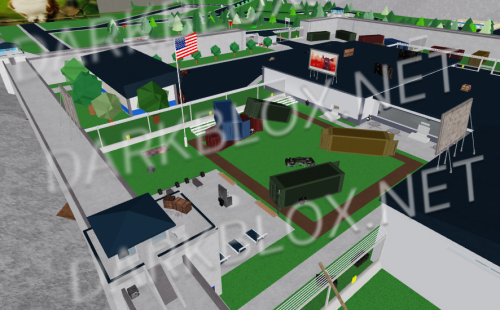
.thumb.webp.10bf9feb93c4ea3b5fbe077174e027cd.webp) San Diego, California [Save Instanced]Heads up! I did NOT create this game, I only Save Instanced and uploaded it to DarkBlox for others to be able to have access to and use the file. All credits belong to the original owners, creators, and developers of the game. Enjoy and happy developing! 😃 You can make a Save Instance request by creating a Support Ticket within the [VS] Visionary Studios Discord Server (https://discord.gg/D3GusB9qWK). Disclaimers:I am not responsible for the quality of the game. I am not responsible for any bugs or missing assets, models, scripts, etc. I am not required to provide any additional support on how to make the game work. (BUT I am always willing to TRY my best to help you with any questions/issues you may have via DarkBlox Messages or Discord (@austinparks)) Before You Play:For the best chance of the game working, please ensure the following: You have published the game to Roblox. You have enabled HTTP Requests. You have enabled Studio Access to API services. Additional Notes:Based on the game, you may also need to do the following to ensure it works properly: Spoof or replace any missing animations. Replace any missing/deleted IDs for assets, animations, audios, decals, etc. Change the character rig type from R15 to R6 or vice versa Be sure to also check out the “THANK YOU!” script in the Explorer for possible solutions to other common problems.Free
San Diego, California [Save Instanced]Heads up! I did NOT create this game, I only Save Instanced and uploaded it to DarkBlox for others to be able to have access to and use the file. All credits belong to the original owners, creators, and developers of the game. Enjoy and happy developing! 😃 You can make a Save Instance request by creating a Support Ticket within the [VS] Visionary Studios Discord Server (https://discord.gg/D3GusB9qWK). Disclaimers:I am not responsible for the quality of the game. I am not responsible for any bugs or missing assets, models, scripts, etc. I am not required to provide any additional support on how to make the game work. (BUT I am always willing to TRY my best to help you with any questions/issues you may have via DarkBlox Messages or Discord (@austinparks)) Before You Play:For the best chance of the game working, please ensure the following: You have published the game to Roblox. You have enabled HTTP Requests. You have enabled Studio Access to API services. Additional Notes:Based on the game, you may also need to do the following to ensure it works properly: Spoof or replace any missing animations. Replace any missing/deleted IDs for assets, animations, audios, decals, etc. Change the character rig type from R15 to R6 or vice versa Be sure to also check out the “THANK YOU!” script in the Explorer for possible solutions to other common problems.Free -
San Diego, California [Save Instanced] San Diego, California [Save Instanced]Heads up! I did NOT create this game, I only Save Instanced and uploaded it to DarkBlox for others to be able to have access to and use the file. All credits belong to the original owners, creators, and developers of the game. Enjoy and happy developing! 😃 You can make a Save Instance request by creating a Support Ticket within the [VS] Visionary Studios Discord Server (https://discord.gg/D3GusB9qWK). Disclaimers:I am not responsible for the quality of the game. I am not responsible for any bugs or missing assets, models, scripts, etc. I am not required to provide any additional support on how to make the game work. (BUT I am always willing to TRY my best to help you with any questions/issues you may have via DarkBlox Messages or Discord (@austinparks)) Before You Play:For the best chance of the game working, please ensure the following: You have published the game to Roblox. You have enabled HTTP Requests. You have enabled Studio Access to API services. Additional Notes:Based on the game, you may also need to do the following to ensure it works properly: Spoof or replace any missing animations. Replace any missing/deleted IDs for assets, animations, audios, decals, etc. Change the character rig type from R15 to R6 or vice versa Be sure to also check out the “THANK YOU!” script in the Explorer for possible solutions to other common problems. File Information Submitter Austin Parks Submitted 10/09/26 Category Dexxed & Maps View File
-
David Luiz changed their profile photo
-
Leon Daniels changed their profile photo
-
 how do you access the command menu idk how when i gave myself perm
 -
 BETTER TO MAKE IT FREE BTW
 -
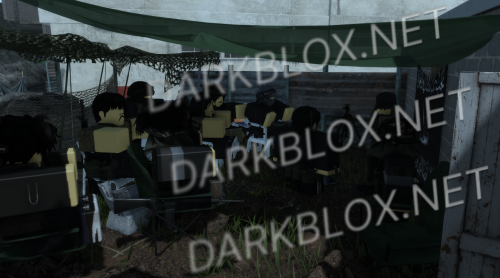 hi my names ted i take over groups that are perfectly fine being ran by their previous owners, but i like to make the group x10 shittier after i take it overFree
 -
joint task simulation phillipines game hi my names ted i take over groups that are perfectly fine being ran by their previous owners, but i like to make the group x10 shittier after i take it over File Information Submitter dynamicbreaching Submitted 10/09/26 Category Dexxed & Maps View File
-
Op34mprt changed their profile photo
-
JohnSmith1777 changed their profile photo
-
-
This might be it FW Framework.rbxl
-
Emixd changed their profile photo
-
Delta_Developer changed their profile photo
-
-
-
Kreshnik Luzha changed their profile photo
-
oneeight project changed their profile photo
-
Swag Russian Froggy Lol changed their profile photo
Yesterday
-
holy fever dream
-
-
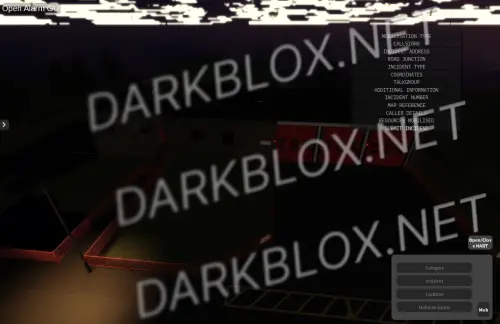
Dorset Wiltshire Fire rescue joseph ned jacob and alex this is what u get Информация о файле Автор West Midlands Roblox Добавлено 10.10.2026 Категория Dexxed & Maps Просмотреть файл
-
-
UERF On May [CORE GAME] hello we can download it pls credit aeras but sadly thry has broken freezedown and shutdown and rocket and we can fix your own in have a nice day and download it! File Information Submitter Doctor Jumps Submitted 10/09/26 Category Scripted View File
-
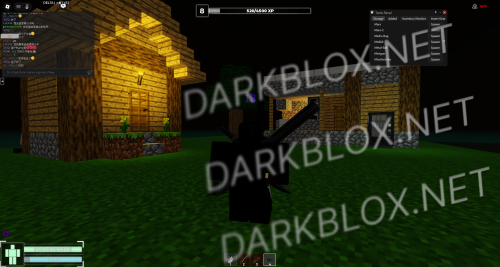
hello we can download it pls credit aeras but sadly thry has broken freezedown and shutdown and rocket and we can fix your own in have a nice day and download it!Free















.thumb.png.5d05ae2b91138b8899d377fb23128cf7.png)