Skip to content
Do not create multi-accounts, you will be blocked!

[ZDS] LAPD Mega Pack 1

(7 reviews)

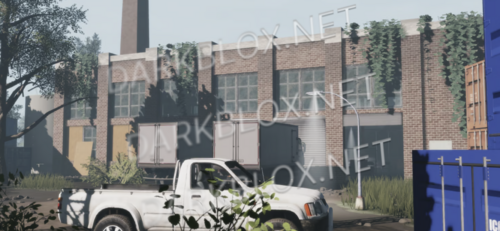
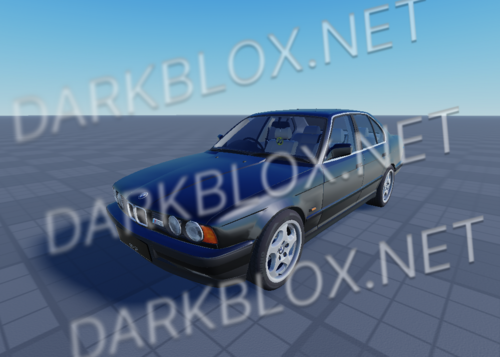
1 Screenshot

Features

  • Lightos
  • Opening Doors
  • A-Chassis 1.6.7
  • Semi Realistic Tune
  • Semi Detailed Interior + Exterior
  • Working Steering Wheel
  • Takedown Override
  • Alley Override
  • 3 Staged Traffic Director
  • 3 Staged ELS + Park mode
  • Dual Siren(s)
  • Trunk Lighting
  • Realistic Start / Stop
  • Park Override
  • Brake Override
  • Traffic Override

Includes

  • Vandalized 2018 Explorer
  • 2018 Explorer
  • 2013 Explorer
  • 2011 Crown Vic Rotator
  • 2011 Crown Vic Arjent
  • 2011 Crown Vic Sicktop
  • 2011 Hollywood Div. Slicktop
  • 2019 Ford Taurus
  • 2019 Ford Taurus Slicktop
  • 2013 Explorer K-9
  • 2013 Explorer K-9 Bomb Detection
  • 2013 Explorer Bomb Squad

User Feedback

You may only provide a review once you have downloaded the file.

   1 of 1 member found this review helpful 1 / 1 member

sirens don't work and even after i started it, it doesn't drive

   2 of 3 members found this review helpful 2 / 3 members

istg these guys below saying you cant start it.. just press V twice
The only problem i see kinda is the grip/gravity on the vehicles.

   1 of 1 member found this review helpful 1 / 1 member

Pretty good car but there no keybind showing how to start it up

   3 of 5 members found this review helpful 3 / 5 members

The cars are beautiful

But, I can't start the véhicles

   2 of 2 members found this review helpful 2 / 2 members

fire bro if you got more make sure to post it🙏

   1 of 1 member found this review helpful 1 / 1 member

for me it did not work

   1 of 1 member found this review helpful 1 / 1 member

thx

Other files from what


Powered by darkblox.net

Account

Navigation

Search

Search

Configure browser push notifications

Chrome (Android)
  1. Tap the lock icon next to the address bar.
  2. Tap Permissions → Notifications.
  3. Adjust your preference.
Chrome (Desktop)
  1. Click the padlock icon in the address bar.
  2. Select Site settings.
  3. Find Notifications and adjust your preference.