Skip to content
Do not create multi-accounts, you will be blocked!

Clearview 1.0.0

(3 reviews)

5 Screenshots

Life in: Clearview

Large map ready for roleplay use

Custom-built buildings and scenery

Custom map layout like no other

Quality map design and structure

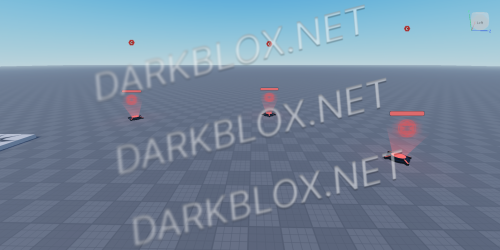
I’ve decided to release one of my old maps as I am no longer working on it, and it's collecting dust in my files. Below, you’ll find references showcasing what the map looks like. All I ask is that you include proper credit if you decide to use it. Feel free to use it for your community—I hope it adds value to your projects!

Please bare in mind, this map is not scripted.

User Feedback

Recommended Comments

Mr. Goods

Active Member

Yeah I'll send it in the morning

befralpha

Active Member

love, i’ll use this and add my own scripts plus expand the map!

Mr. Goods

Active Member

2 minutes ago, befralpha said:

love, i’ll use this and add my own scripts plus expand the map!

If you want I can finish the map and make it bigger and if you like that more then what you do I'll give it to you and if you don't want it I will just upload it on here

On 1/2/2025 at 4:56 PM, Mr. Mystery said:

If you want I can finish the map and make it bigger and if you like that more then what you do I'll give it to you and if you don't want it I will just upload it on here

please make it bigger i beg you

Mr. Goods

Active Member

9 hours ago, zuhnstersthebest said:

please make it bigger i beg you

Alright next next week I will release it

tuna fishh

Active Member

good job on stealing the work of other people. i literally free released this and you post it why? to gain attention?

vett

Member

Ts is so fire bro

Create an account or sign in to comment

Other files from Mr. Goods


Powered by darkblox.net

Account

Navigation

Search

Search

Configure browser push notifications

Chrome (Android)
  1. Tap the lock icon next to the address bar.
  2. Tap Permissions → Notifications.
  3. Adjust your preference.
Chrome (Desktop)
  1. Click the padlock icon in the address bar.
  2. Select Site settings.
  3. Find Notifications and adjust your preference.