Skip to content
Do not create multi-accounts, you will be blocked!

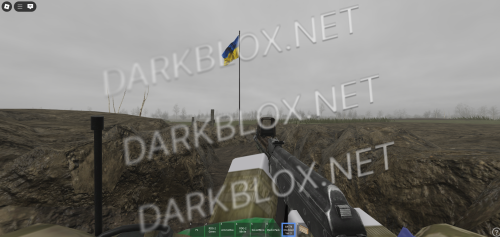
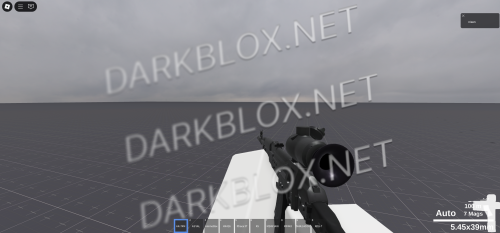
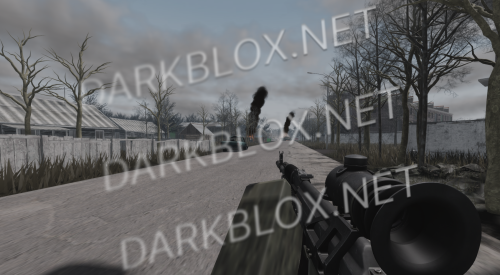
Most Realistic ACS (Newest Breakify) 1.0.0

(13 reviews)

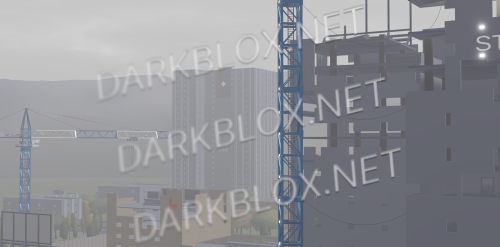
3 Screenshots

im here (yo daddy) to provide you with some really good asset

even tho this file was already asseted some time ago everybody was sleeping on this rare asset and it became as untouched as a nuns pussy so there you go freaks

if you ppl want to i will also make a video on how to add new guns to this engine if you want

issues:

if you shootin someone and instead of blood splatter a white block appears it means the blood splatter file uploaded on roblox is deleted and you will have to replace it with another pbr blood stain imma plug a fix for this here

if u shootin a gun and audio doesnt play go to gunmodels folder and replace the audio with a working one

also i would recommend you to use this engine only in milsims or games that are lowkey and not making a whole ass game and trying to get it popular using this engine cuz breakify (the nigga who made this engine) is a lil twink ass cunt and dmca's any asset that is his or that looks like its his (he legit dmca'd some nigga for a grass blade particle that i could legit recreate rn just by opening ms paint and by hand draw a green line)

enjoy this file darkblox ppl

dog-cute.gif

fix.rbxm

User Feedback

Recommended Comments

Burnswood

Active Member

15 hours ago, NIko9315 said:

Probably bluffing lol. But hopefully i dont get DMCA'ed if i use it for a small game like 20-30 players

if you do would be good to hear about it here but I'm still thinking nothin will happen lmao

NIko9315

Active Member

On 1/8/2026 at 2:52 PM, Burnswood said:

if you do would be good to hear about it here but I'm still thinking nothin will happen lmao

aye bro do u know how to add new guns to the system tho? Been trying but it doesnt work

Burnswood

Active Member

8 hours ago, NIko9315 said:

aye bro do u know how to add new guns to the system tho? Been trying but it doesnt work

no i haven't tinkered with it

NIko9315

Active Member

6 hours ago, Burnswood said:

no i haven't tinkered with it

Awh, damn. Let me know if you find anything about it

NIko9315

Active Member

If anybody knows how to import mobile support to this ACS please tell me

banjo

Active Member

do you think you could coem back with another breakify upload or na

Burnswood

Active Member

On 1/11/2026 at 6:23 AM, NIko9315 said:

Awh, damn. Let me know if you find anything about it

Hey, does your footstep sounds still work? Mine don't anymore for some reason

AnDummy

Active Member

if someone want to add more guns, all you gon do is clone other working gun tools in starterpack and rename the gun you want to add

you can tune the tool by changing the caliber or recoil stuff thing

here's the link for the stuff and caliber name Weapons - The Official Escape from Tarkov Wiki

tarkov stuffs

AnDummy

Active Member

to replace the gun sounds go to gunmodels, then server, and replace with the working one

or you just gon legit asset the audio whatsoever

Cant No more

Active Member

Its a youtube file you just downloaded from youtube and uploaded to darkblox.

pilot_56

Member

where should I put this file? just in the Roblox Studio on the default map without scripts and so on, or in the files on the map?

pilot_56

Member

becouse i have a problem

photo_2026-05-02_20-58-09.jpg

Burnswood

Active Member

58 minutes ago, pilot_56 said:

becouse i have a problem

photo_2026-05-02_20-58-09.jpg

it doesn't work in R15 buddy

pilot_56

Member

Where should I unpack these archives?

photo_2026-05-04_19-46-03.jpg

Burnswood

Active Member

14 hours ago, pilot_56 said:

Where should I unpack these archives?

photo_2026-05-04_19-46-03.jpg

are you retarded???

Zeal

Member

Guns don't exist. I equip and nothing happens

Create an account or sign in to comment

Other files from jews


Powered by darkblox.net

Account

Navigation

Search

Search

Configure browser push notifications

Chrome (Android)
  1. Tap the lock icon next to the address bar.
  2. Tap Permissions → Notifications.
  3. Adjust your preference.
Chrome (Desktop)
  1. Click the padlock icon in the address bar.
  2. Select Site settings.
  3. Find Notifications and adjust your preference.