Skip to content
Do not create multi-accounts, you will be blocked!
DMCA DELETION - CONTACT US

BuilderX Server-Side Exploit 1.0.0-Reupload

(2 reviews)

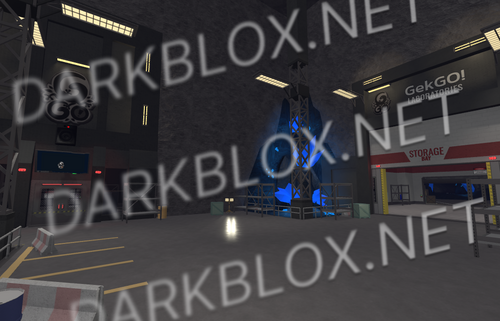
3 Screenshots

Stupid Toolbox Bots Part 1

I pulled this from an infected "admin panel" asset in its raw form.

...And its not a exploit really. Just a pretty GUI dummy that doesn't do anything. It's completely dependent on their server. Even the executor bytecode goes through their server... So well do with it what you will lol

And please don't distribute this as yet another slop from infected asset. It doesn't even work. And the creators call their clients "goyslop"

What's New in Version 1.0.0-Reupload

Released

I fricking hate the roblox studio
User Feedback

Recommended Comments

johns

Active Member

I drag this into Roblox Studio and it doesn’t work.

A Random Niko

Active Member

3 hours ago, turbogames said:

I drag this into Roblox Studio and it doesn’t work.

What it looks like is that the file didn't upload to DB correctly...

glassesman

Active Member

8 hours ago, turbogames said:

I drag this into Roblox Studio and it doesn’t work.

"...And its not a exploit really. Just a pretty GUI dummy that doesn't do anything. It's completely dependent on their server. Even the executor bytecode goes through their server..."

If you want to see their GUI you can insert Freecam into StarterGui, but all that will work there is kicking/killing/teleporting the player, changing the GUI themes and changing the rig to R6. Everything else (gears giver, injecting embedded scripts, executor, car spawner) is tied to the work of their server

I can ofc reverse engineer this slop so it thinks the player is whitelisted (or something else I haven't fully read their exploit code) but that will take time

glassesman

Active Member

11 hours ago, turbogames said:

I drag this into Roblox Studio and it doesn’t work.

Pardon, my problem. Asset imported incorrectly from the studio. I'll replace the file when I'm free

Create an account or sign in to comment

Other files from glassesman


Powered by darkblox.net

Account

Navigation

Search

Search

Configure browser push notifications

Chrome (Android)
  1. Tap the lock icon next to the address bar.
  2. Tap Permissions → Notifications.
  3. Adjust your preference.
Chrome (Desktop)
  1. Click the padlock icon in the address bar.
  2. Select Site settings.
  3. Find Notifications and adjust your preference.