Skip to content
Do not create multi-accounts, you will be blocked!

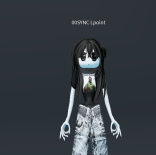
Amil's Ugly Midsouth 1.0.0

(2 reviews)

1 Screenshot

1

What's New in Version 1.0.0

Released

1111

User Feedback

Recommended Comments

yesman

Active Member

clickbait?

m67

Active Member

image.pngi iguess bro.....

Chris_1776

Active Member

Yo I can just give the file to people if they ask for it on dc

aimightydemon

Active Member

On 5/10/2026 at 7:23 PM, Chris_1776 said:

Yo I can just give the file to people if they ask for it on dc

reupload it on DarkBlox

Chris_1776

Active Member

Will do

amogusyes

Active Member

On 5/10/2026 at 9:23 AM, Chris_1776 said:

Yo I can just give the file to people if they ask for it on dc

slide dc

Chris_1776

Active Member

Amil has to give me the file first imma text him

amogusyes

Active Member

On 5/12/2026 at 8:06 AM, Chris_1776 said:

Amil has to give me the file first imma text him

updates? have you recieved the file?

Chris_1776

Active Member

I'm still fucking waiting

amogusyes

Active Member

On 5/13/2026 at 8:29 PM, Chris_1776 said:

I'm still fucking waiting

Solid copy, keep us updated

Chris_1776

Active Member

I'm not getting it

tuntegunttungsah

Active Member

On 5/16/2026 at 6:46 AM, Chris_1776 said:

I'm not getting it

did you not download it from here before he changed it or sum

caglarper10101

Active Member

this is not a fucking good file thats a stupidest scooby doo shit ive ever seen

Create an account or sign in to comment


Powered by darkblox.net

Account

Navigation

Search

Search

Configure browser push notifications

Chrome (Android)
  1. Tap the lock icon next to the address bar.
  2. Tap Permissions → Notifications.
  3. Adjust your preference.
Chrome (Desktop)
  1. Click the padlock icon in the address bar.
  2. Select Site settings.
  3. Find Notifications and adjust your preference.