Skip to content
Do not create multi-accounts, you will be blocked!

PROJECT VENTURA / ROSEWOOD (RS AND JS) 1.0.0

(8 reviews)

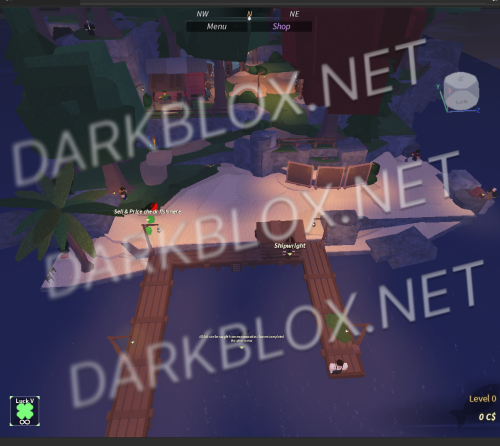
1 Screenshot

project rosewood and ventura

remake

NOT COMPLETE

BUT CARS WORK

DEALER
HOUSES
GUNS
LOCKERS
HOUSING

ALL SORTS IS RECODED SOME STUFF IS STILL NEED DOING BUT ITS A START ENJOY DO WHAT U WANT WITH IT

User Feedback

Recommended Comments

SuperPeteco

Active Member

Cool as hell, anyone know how to get the idle animation to work on the LEO_G17? i spoofed the other animations and they work fine just not the idle/holding animation

rogerred

Active Member

How do you spoof the animations?

Regu

Member

On 7/26/2026 at 8:30 PM, SuperPeteco said:

Cool as hell, anyone know how to get the idle animation to work on the LEO_G17? i spoofed the other animations and they work fine just not the idle/holding animation

How do you even spoof stuff is there like a plugin or sum for that

SuperPeteco

Active Member

On 8/17/2026 at 10:19 PM, Regu said:

How do you even spoof stuff is there like a plugin or sum for that

theres a discord bot that spoof's animations and im pretty sure audio. idk if its a public bot but its in a discord server in which i cant check rn because of the discord ban here.

definednot

Flux Access

  • Flux Access

IF ANYONE save instances ventura a new version latest 1 ill begin re coding it

ihatefliechs

Active Member

On 8/30/2026 at 10:42 AM, SuperPeteco said:

theres a discord bot that spoof's animations and im pretty sure audio. idk if its a public bot but its in a discord server in which i cant check rn because of the discord ban here.

mind sending the anims? ive tried and they rae private, also cant use my own it wont play them.

Create an account or sign in to comment

Other files from definednot


Powered by darkblox.net

Account

Navigation

Search

Search

Configure browser push notifications

Chrome (Android)
  1. Tap the lock icon next to the address bar.
  2. Tap Permissions → Notifications.
  3. Adjust your preference.
Chrome (Desktop)
  1. Click the padlock icon in the address bar.
  2. Select Site settings.
  3. Find Notifications and adjust your preference.