Skip to content
Do not create multi-accounts, you will be blocked!

[CURRENT] Lee County 1.0.0

(2 reviews)

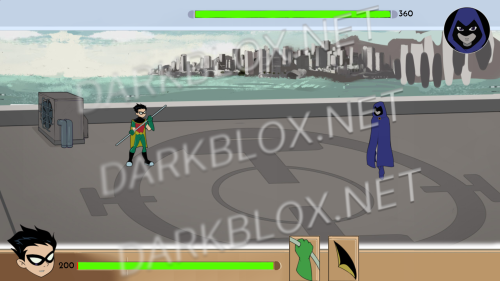
1 Screenshot

They took away my dev perms for 0 reason, and also called me a trash owner, so take the current version of Lee, if you need help with something, or even if you want me to start a Lee up for you, contact me on Discord" @fruithorizonn_

User Feedback

You may only provide a review once you have downloaded the file.

   8 of 8 members found this review helpful 8 / 8 members

I'd be cautious of this file... it is backdoored by a person who had some sort of relation to Lee County in the past and they are hunting down player active copies.

Their username is n2x on Discord and their Discord ID is 764899361862844488.

If you are a huge studio on Roblox who gets lots of players in your game, I'd advise not to publish this game as this person has backdoored it and has complete access to do whatever they want in the game.

Here is my experience:

I got kicked from my own copy by his alt on Roblox:

Image

In addition, they are threatening to file a DMCA against my game but the asseter of this file Austin_mygettho23 says it is not possible for them to fulfill the DMCA request as they don't own everything completely. Here's screenshots of it:

Image

Image

Image

For context, Vctmzs is Austin_mygettho23.

   1 of 6 members found this review helpful 1 / 6 members

How they even put backdoor

Other files from Austin_mygettho23


Powered by darkblox.net

Account

Navigation

Search

Search

Configure browser push notifications

Chrome (Android)
  1. Tap the lock icon next to the address bar.
  2. Tap Permissions → Notifications.
  3. Adjust your preference.
Chrome (Desktop)
  1. Click the padlock icon in the address bar.
  2. Select Site settings.
  3. Find Notifications and adjust your preference.