


Add a sprinkle of nostalgia and sweetness to your FiveM server with the Circle Restaurant MLO! Designed with retro diner vibes and warm lighting, this cozy spot is perfect for casual meetups, late-night gang chats, or daily RP routines.
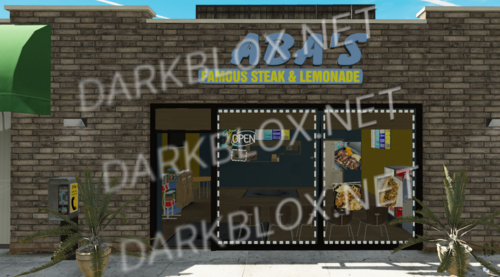
From the classic donut display and kitchen area to dine-in booths and a colorful exterior, this MLO brings that small-town charm or urban pitstop feel wherever you place it on your map.
Whether you're hosting morning coffee RP, running a food biz, or making it the gang’s favorite hideout – the Circle Restaurant MLO is a must-have vibe.
Features:
🍩 Fully designed interior donut shop
🪑 Booth seating, counter, kitchen, and decor
🧱 Retro design with authentic diner atmosphere
🗺️ Can be placed in urban or suburban areas
🚀 Optimized for smooth FiveM performance
📥 Easy Installation:
1️⃣ Download the files from the provided URL after purchase.
2️⃣ Copy the downloaded files to your computer.
3️⃣ Navigate to your FiveM server’s resources folder and paste the files there.
4️⃣ Extract all files using a program like WinRAR or 7-Zip.
5️⃣ Open your server.cfg file in a text editor (Notepad++, VS Code, etc.).
6️⃣ Add this line in the resources section: ensure [resource_name_here]
7️⃣ Save the changes and restart your FiveM server.
✅ Done! The Restaurant MLO is now active on your server!
Do not create multi-accounts, you will be blocked!
Donut Shop MLO by SoftGenics 1.0.0 1.0.0
Have a special Question? Try to message author!
6 Screenshots
User Feedback
Other files from Kads
-
- 2 Downloads
- 24.71 MB
-
- 19 Downloads
- 1 {!#[1:comment][?:comments]}
- 14.59 MB
-
- 1 Downloads
- 18.66 MB
-
- 18 Downloads
- 79.1 MB
-
- 13 Downloads
- 18.18 MB
-
- 11 Downloads
- 66.54 MB
-
- 20 Downloads
- 112.32 MB
-
- 12 Downloads
- 1 {!#[1:comment][?:comments]}
- 121.74 MB
-
- 12 Downloads
- 5.12 MB
-
- 21 Downloads
- 266.89 MB
-
Free
- 12 Downloads
- 103.6 MB
-
- 20 Downloads
- 23.42 MB
-
Free
- 12 Downloads
- 85.95 MB
-
- 1 Downloads
- 226.81 MB
.thumb.png.2d1298bd7e36fe41ae49746504bf4ba6.png)


You may only provide a review once you have downloaded the file.