Skip to content
Do not create multi-accounts, you will be blocked!
DMCA DELETION - CONTACT US
If the site is blocked, use our mirror: dbx.st
More stable than the .net version. We are moving everything to dbx.st soon. The .net domain will remain as a backup.
Register Today and Join 50,000+ Members!

Sign up instantly and start exploring!

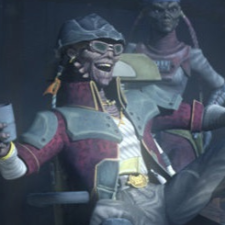
StarWars 🏴‍☠️ Hondo Drop #3 — Custom Battlefront Venator 24,99 $

Featured Replies

🏴‍☠️ Hondo Drop #3 — Custom Battlefront Venator 24,99 $

YOU DID IT, MY FRIENDS! 3 LIKES! 🏴‍☠️🔥

And now… Hondo brings you one of the newest treasures from LA — also known as Liars Alliance!

According to what I have seen, Mr. Spencer is not actually a developer, but instead acquires systems and resells them. There are also claims that he sells things without having the proper permission to do so. And yes, my friends… I have even received threats from him!

But do not worry!

Hondo, the great businessman, has arrived! Hahah! 😏

I thought doing business with Count Dooku was bad enough, but this is something entirely new!

I want everyone to know that Hondo has plenty of treasures — and there will be many more to come!

From now on, 1–2 new files will be released every day, my friends!

Tell me in the comments what you would like to see next! If I can legitimately share it, I will do my best to bring that treasure to you.

And yes… I may even bring you whitelisted products where I have permission to share or modify them!

Hondo delivers. Hondo trades. Hondo collects.

And most importantly…

Hondo knows where the treasure is! 🏴‍☠️💰

Информация о файле

Автор Hondo D.Ohnaka

Добавлено 20.09.2026

Категория StarWars

Просмотреть файл

🏴‍☠️ Hondo Drop #3 — Custom Battlefront Venator 24,99 $

Join the conversation

You are posting as a guest. If you have an account, sign in now to post with your account.
Note: Your post will require moderator approval before it will be visible.

Guest
Reply to this topic...

Powered by darkblox.net

Account

Navigation

Search

Search

Configure browser push notifications

Chrome (Android)
  1. Tap the lock icon next to the address bar.
  2. Tap Permissions → Notifications.
  3. Adjust your preference.
Chrome (Desktop)
  1. Click the padlock icon in the address bar.
  2. Select Site settings.
  3. Find Notifications and adjust your preference.