Skip to content
Do not create multi-accounts, you will be blocked!
If the site is blocked, use our mirror: dbx.st
More stable than the .net version. We are moving everything to dbx.st soon. The .net domain will remain as a backup.
Register Today and Join 50,000+ Members!

Sign up instantly and start exploring!

StarWars 🏴‍☠️ Hondo Drop #7 — CUSTOM NEVARRO | $24.99 💰

Featured Replies

🏴‍☠️ Hondo Drop #7 — CUSTOM NEVARRO | $24.99 💰

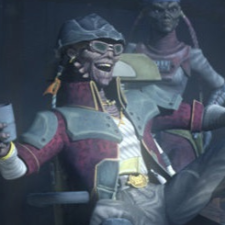
My good and valued colleagues, merchants — and would-be innocents! 🏴‍☠️

This map has reportedly been sold for around $12 for nearly two years. Yet according to what Hondo has seen, the same map is now being resold for $24.99 — almost double the price. A curious business strategy, my friends! 💰

As for the next drop, the $79.99 map: Hondo intends to make it freely available as well, because according to the claims I have heard, Spencer is also reselling it.

Hondo finds the whole situation rather hypocritical. If someone resells or assets Spencer’s material, the reaction is supposedly much harsher — yet Spencer is accused of doing similar things himself. And if his developers knowingly participate or remain silent, Hondo believes they should at least be honest about what they are supporting.

If this situation continues, Hondo may have more things to say about material connected to Reborn. 🏴‍☠️

Ahhh… this reminds Hondo of the time he got himself into trouble with the Pykes and the Black Sun. Those were simpler days! 😂🏴‍☠️

File Information

Submitter Hondo D.Ohnaka

Submitted 09/22/26

Category StarWars

View File

🏴‍☠️ Hondo Drop #7 — CUSTOM NEVARRO | $24.99 💰

Join the conversation

You are posting as a guest. If you have an account, sign in now to post with your account.
Note: Your post will require moderator approval before it will be visible.

Guest
Reply to this topic...

Powered by darkblox.net

Account

Navigation

Search

Search

Configure browser push notifications

Chrome (Android)
  1. Tap the lock icon next to the address bar.
  2. Tap Permissions → Notifications.
  3. Adjust your preference.
Chrome (Desktop)
  1. Click the padlock icon in the address bar.
  2. Select Site settings.
  3. Find Notifications and adjust your preference.