Registration is limited to Google Gmail & MailRU & Yahoo & Yandex email addresses.
Do not create multi-accounts, you will be blocked!

acpeak
Active Member
-
Joined
-
Last visited
Everything posted by acpeak
-
Military Supplies Vol 4 – Furniture Meshparts - Static Props/Exterior Only Make sure to set (Mesh Detail Level 00) File Information Submitter acpeak Submitted 12/03/24 Category Models & Mesh View File
-
Military Supplies Vol 3 – Security Checkpoint Meshparts - Static Props/Exterior Only Make sure to set (Mesh Detail Level 00) File Information Submitter acpeak Submitted 12/03/24 Category Models & Mesh View File
-
Military Supplies Vol 8 – Field Supplies Meshparts - Static Props/Exterior Only Make sure to set (Mesh Detail Level 00) File Information Submitter acpeak Submitted 12/03/24 Category Models & Mesh View File
-
Military Supplies Vol 7 – Containers Meshparts - Static Props/Exterior Only Make sure to set (Mesh Detail Level 00) File Information Submitter acpeak Submitted 12/03/24 Category Models & Mesh View File
-
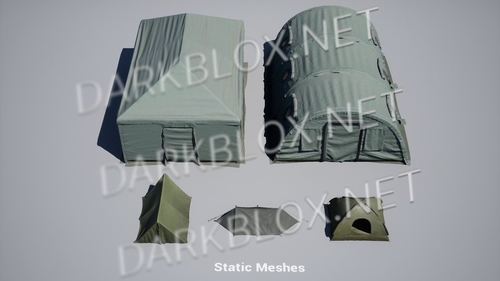 Meshparts - Static Props/Exterior OnlyFree
 -
Military Supplies - VOL.1 - Tents Meshparts - Static Props/Exterior Only File Information Submitter acpeak Submitted 11/29/24 Category Models & Mesh View File
-
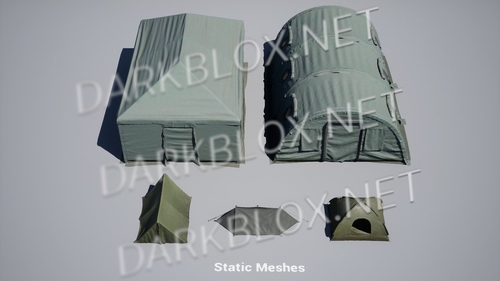 Meshparts - Static Props/Exterior OnlyFree
 -
Military Supplies - VOL.1 - Tents Meshparts - Static Props/Exterior Only File Information Submitter acpeak Submitted 11/29/24 Category Maps View File
-
 great stuff, keep it up
 -
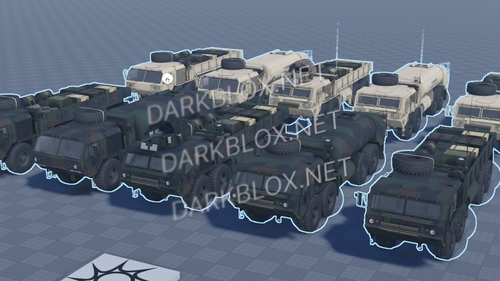 Features: • Compatible with both Blizzard and A-Chassis [Pre-scripted] • High fidelity model • High Quality Woodland and Desert Textures • Animated Doors • Custom Sounds • ACS ArmoredFree
 -
M977/M978 Heavy Expanded Mobility Tactical Truck (HEMTT) Features: • Compatible with both Blizzard and A-Chassis [Pre-scripted] • High fidelity model • High Quality Woodland and Desert Textures • Animated Doors • Custom Sounds • ACS Armored File Information Submitter acpeak Submitted 10/12/24 Category Vehicles View File