Do not create multi-accounts, you will be blocked!
If the site is blocked, use our mirror:
dbx.st
More stable than the .net version. We are moving everything to dbx.st soon. The .net domain will remain as a backup.
Boats
34 files
-
• High-Quality
• Partial interior (Bridge, radar room, uniform room, sleeping quarters, briefing room, and a few other empty rooms.
• Scripted Hangar Elevators
• Below deck hangar
• Comes with deck crew uniform
• Radar systems
• Perfect For Russian Airforce/Naval Groups
Origin: Admiral Kuznetsov – Clearly Development 16.26£
- army
- detailed
- high detail
- high quality
-
Tagged with:
- Free
- 951 Downloads
- 2 Comments
-
HMS Queen Elizabeth
HMS Queen Elizabeth is the lead ship of the Queen Elizabeth class of aircraft carriers and the Fleet Flagship of the Royal Navy.
Max Speed: 25 Knots
Information:
High Quality Model
Interior (Not both superstructures has it.)
Aerotech Boat System
Lifts are unfortunately NOT scripted.
Hangar
Working CIWS
Origin: HMS Queen Elizabeth - Payhip 35.00£
- Free
- 838 Downloads
- 2 Comments
-
- Free
- 271 Downloads
-
- Free
- 104 Downloads
-
- Free
- 433 Downloads
-
- Free
- 784 Downloads
-
The Oksøy-class mine hunters are a class of vessels of the Royal Norwegian Navy active since the mid-1990s.
The Oksøy-Class Mine Hunter comes with the following:
- Scripted with Aerotech
- Working 50 Cal Machine Guns
- Comes with Bridge
- Free
- 194 Downloads
-
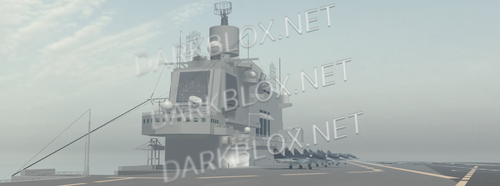
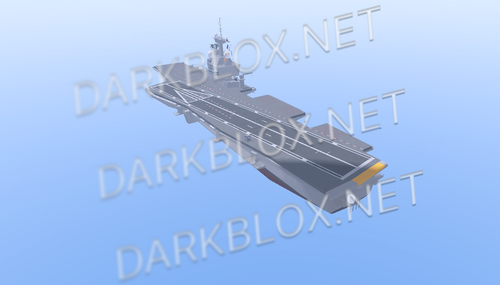
Working CIWS
Working Aircraft Welds and Aircraft Lifts
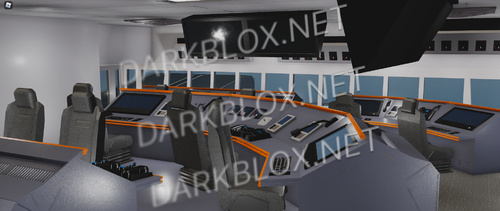
Elegent interior with deck, cabin, offices, meeting rooms and functioning bridge
Realistic Deck with full markings
Working CATOBAR
- Free
- 384 Downloads
-
- Free
- 255 Downloads



Featured Files
-
- 575 Downloads
- 2 Comments
-
- 436 Downloads
- 15 Comments
-
- 3126 Downloads
- 93 Comments
-
- 1129 Downloads
- 1 Comments
-
- 5080 Downloads
- 101 Comments



.thumb.jpg.a237428f121dee15540ca43c17e88147.jpg)


.thumb.webp.aa2e1d8010bcf13356419c4b2a16c392.webp)



File Reviews
-
South Central III
ts was bunz
-
ECHO FUEL (CRACKED)
the rbxm is unopenable can you fix that ?
-
LT Site B-16 Open Source (OLD AND SAVEINSTANCED)
what is this shit
-
Zombie AI V.3/System
Mid, maybe i did something wrong, but they dont attack or target you, they stand there or just wander randomly. VFX decent, SFX decent, some lag when they get an aura or something but just mid overall
-
MM2, Fully Scripted.
"For legal purposes I do not claim Ownership of this game nor do I the asseting/distribution of this Asset."
Exactly How described: Asseted/Asset