Skip to content
Do not create multi-accounts, you will be blocked!

Quantum Science Energy Research Facility|look at description 1.0.0

(6 reviews)

2 Screenshots

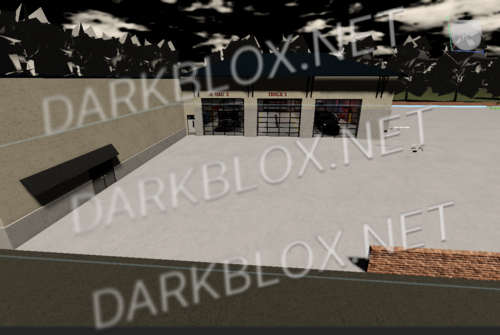
HAPPY NEW YEARS FROM ME, THIS IS MY RELEASE (maybe if you guys give it enough downloads i might release a folder full of QSERF stuff ;) (if i can find it)

Fully scripted || NOT EVERYTHING WORKS DO NOT COME TO ME FOR IT BUT ALL THE MAIN COMPONENTS WORK

sort of a new version not the newest of the new since i the guy that i got this from doesn’t like to respond anymore

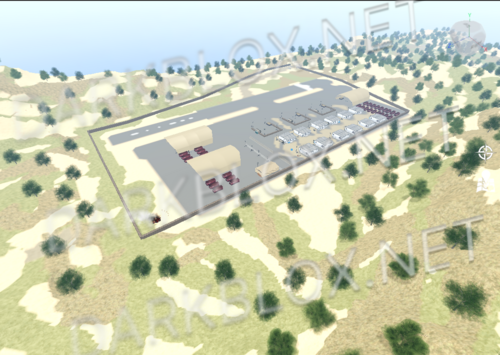
pretty big map

everything that you need is there

User Feedback

Recommended Comments

i have the full game if you wood like i can post it ??

Linnxy

Active Member

EVERYONE!!!! IF YOUR MAINTENANCE IS BROKEN REPLACE THIS PART IN THE MAINTENANCE SCRIPT WITH THIS: local ConsoleHandle = function(plr, i) if not Debounce then if MaintenanceActive then local console = Core.FuelCells["Console"..i].LowerConsole if Handles[i] == false then --//Cell ejection Debounce = true FuelCells[i] = false console.Handle.ClickDetector.MaxActivationDistance = 0 console.Handle.Main.Sound:Play() FSMS.FuelCell() ConsolePrintEvent:FireAllClients("Fuel Cell " ..i.. " removed by " ..plr.Name) NotificationEvent:FireAllClients("Fuel Cell " ..i.. " removed.", "none", 3) Global.TweenModel(console.Handle, console.ToGoParts.Down.CFrame, false, 1) task.wait(1) Global.FindAudio("Cell" ..i):Play() task.wait(1) FSMS.Unlocked() console.green.Material = Enum.Material.SmoothPlastic console.red.Material = Enum.Material.Neon Core.FuelCells["Console"..i][FuelCellsType[i].."Cell"].PRIMARY.SoundUnlock:Play() Global.TweenModel(Core.FuelCells["Console"..i][FuelCellsType[i].."Cell"], Core.FuelCells["Console"..i].TGP["pre-insert"].CFrame, true, 1) Global.TweenModel(Core.FuelCells["Console"..i][FuelCellsType[i].."Cell"], Core.FuelCells["Console"..i].TGP.eject.CFrame, true, 1.3) if Core.FuelCells["Console"..i][FuelCellsType[i].. "Cell"].Name == "GenericCell" then PreviousCellType[i] = "Generic" elseif Core.FuelCells["Console"..i][FuelCellsType[i].. "Cell"].Name == "ReactiveCell" then PreviousCellType[i] = "Reactive" elseif Core.FuelCells["Console"..i][FuelCellsType[i].. "Cell"].Name == "SuperCell" then PreviousCellType[i] = "Super" elseif Core.FuelCells["Console"..i][FuelCellsType[i].. "Cell"].Name == "EfficientCell" then PreviousCellType[i] = "Efficient" end ServerStorage.HadronCollider.DMRFuel[FuelCellsType[i]]["Depleted " .. FuelCellsType[i] .. " Cell"]:Clone().Parent = plr.Backpack for ,v in Core.FuelCells["Console"..i][FuelCellsType[i].."Cell"]:GetDescendants() do if v:IsA("BasePart") or v:IsA("Decal") then v.Transparency = 1 elseif v:IsA("PointLight") then v.Enabled = false end end task.wait(1) console.Handle.ClickDetector.MaxActivationDistance = 32 Handles[i] = true Debounce = false elseif Handles[i] true then --//Cell insertion if FuelCells[i] "Ready" then Debounce = true console.Handle.ClickDetector.MaxActivationDistance = 0 console.Handle.Main.Sound:Play() FSMS.Fuel_Cell() ConsolePrintEvent:FireAllClients("Fuel Cell " ..i.. " inserted by " ..plr.Name) NotificationEvent:FireAllClients("" .. tostring(FuelCellsType[i]) .. " type cell inserted in fuel chamber slot " .. i , "none", 3) Global.TweenModel(console.Handle, console.ToGoParts.Up.CFrame, false, 1) task.wait(1) Global.FindAudio("Cell"..i):Play() task.wait(1) game:GetService("ServerScriptService").Server.Scripts.UserInterface.Events.CompleteChallenge:Fire(plr, "FUELDMR") FSMS.Locked() console.green.Material = Enum.Material.Neon console.red.Material = Enum.Material.SmoothPlastic Core.FuelCells["Console"..i][FuelCellsType[i].."Cell"].PRIMARY.SoundLock:Play() Global.TweenModel(Core.FuelCells["Console"..i][FuelCellsType[i].."Cell"], Core.FuelCells["Console"..i].TGP.insert.CFrame, true, 1) task.wait(1) Handles[i] = true FuelCells[i] = true Functions.Check() Debounce = false else NotificationEvent:FireClient(plr, "Insert a fuel cell to do this!", "error", 3, "Dark Matter Reactor") end end end else NotificationEvent:FireClient(plr, "Please wait...", "error", 3) end end

Create an account or sign in to comment

Other files from DriftingCowboy


Powered by darkblox.net

Account

Navigation

Search

Search

Configure browser push notifications

Chrome (Android)
  1. Tap the lock icon next to the address bar.
  2. Tap Permissions → Notifications.
  3. Adjust your preference.
Chrome (Desktop)
  1. Click the padlock icon in the address bar.
  2. Select Site settings.
  3. Find Notifications and adjust your preference.