Skip to content
Do not create multi-accounts, you will be blocked!

City-17 MKII - Scripts Included 1.0.0

(3 reviews)

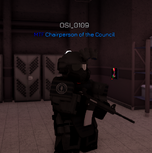
1 Screenshot

Greetings. I got this file from a discord server long time ago which it'll stay anonymous.
Join CMB Archives. .gg/uCjJ5RCF9t

Need to spoof your own animations, some sounds may not be working.
And change everything to your roblox username and group, and etc.

User Feedback

Recommended Comments

MESSI4873

Active Member

How do I fix the infinite loading screen

smashedblackhawl

Active Member

In order to fix the infinite loading screen, you need to enable API and HTTP Requests.
Also the strider may not be working pressing F to use the warp gun.

smashedblackhawl

Active Member

And possibly I will do an MKIII modded next time.

Lox1488zov

Member

cmdr don't works

smashedblackhawl

Active Member

Cmdr works, the only is that the activationkey is set to F2, you'll should go deeper and go in CTRL + SHIFT + F and then change everything to your group.

MESSI4873

Active Member

If you can, could you give me a small tutorial into how to quickly and easily setup a group so i can join spear,etc

On 5/23/2025 at 2:36 PM, smashedblackhawl said:

Cmdr works, the only is that the activationkey is set to F2, you'll should go deeper and go in CTRL + SHIFT + F and then change everything to your group.

sigmend

Active Member

image.pngdoes anyone know how to fix this?

smashedblackhawk

Active Member

On 5/30/2025 at 5:32 PM, MESSI4873 said:

If you can, could you give me a small tutorial into how to quickly and easily setup a group so i can join spear,etc

To answer to this, you can easily just go to CTRL + SHIFT + F and replace ''tomalapl'' with your Roblox Username. You will get access to the commands immediately. Also I'd recommend to go to all the Commands Folder of Cmdr and replace them with Permission ''Owner''.

MESSI4873

Active Member

On 6/6/2025 at 6:32 PM, smashedblackhawk said:

To answer to this, you can easily just go to CTRL + SHIFT + F and replace ''tomalapl'' with your Roblox Username. You will get access to the commands immediately. Also I'd recommend to go to all the Commands Folder of Cmdr and replace them with Permission ''Owner''.

There's an error with the commands that says: "An error ocurred while running this command."

smashedblackhawk

Active Member

On 6/8/2025 at 5:28 PM, MESSI4873 said:

There's an error with the commands that says: "An error ocurred while running this command."

Replace ''group'' in every command in Commands Folder, except for those who end in ''Server'', change it to Owner.

Create an account or sign in to comment

Other files from smashedblackhawk


Powered by darkblox.net

Account

Navigation

Search

Search

Configure browser push notifications

Chrome (Android)
  1. Tap the lock icon next to the address bar.
  2. Tap Permissions → Notifications.
  3. Adjust your preference.
Chrome (Desktop)
  1. Click the padlock icon in the address bar.
  2. Select Site settings.
  3. Find Notifications and adjust your preference.