

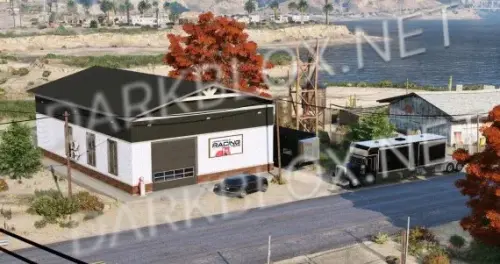
GreenCom | Vespucci Office is a highly detailed and immersive office-style interior designed for FiveM roleplay servers. This asset introduces a modern professional workspace environment built for business roleplay, company operations, civilian scenarios, and realistic workplace interactions.
Features:
✅ Highly detailed modern office interior design
✅ Enhances business, civilian, and professional roleplay
✅ Realistic office environment with workspace areas
✅ Multiple rooms and interaction zones for RP scenarios
✅ Includes meeting areas, offices, and operational sections
✅ Perfect for companies, organizations, and player-owned businesses
✅ Optimized performance for smooth server gameplay
✅ Easy installation and drag-and-drop setup
Perfect for roleplay servers looking to expand their city with a realistic business location, immersive workplace experiences, and deeper civilian RP opportunities with a professional atmosphere.
Developer: GreenCom
Upgrade your server’s world with Vespucci Office built for immersive FiveM roleplay.
https://youtu.be/cZK74rjIbVU?si=RiPo4VQX7tPmhpjf
What's New in Version 1.0.0
Released
FIXED FILE TO BE THE CORRECT FILE
.thumb.webp.7e89a28002a184b47bc6af3573ad87da.webp)
.thumb.jpg.8b1b1ef2afb8ba29f262af12553020a0.jpg)
.thumb.webp.b92f94cab99534eb1a59b4f399a06bfd.webp)
You may only provide a review once you have downloaded the file.