Registration is limited to Google Gmail & MailRU & Yahoo & Yandex email addresses.
Do not create multi-accounts, you will be blocked!


Unknown1000
Member
-
Joined
-
Last visited
Everything posted by Unknown1000
-
 Just 2 GSP Camaros instead of SDPD fleet
 -
RES livery changing Ram Tradesman 2019 Dodge Ram Tradesman Livery Changing Emergency Service Car 360 lighting package 3 Stage ELS 4 Stage TA Surface lights (ground visibility) Rear Ion Brake Override Advance livery/siren/light color changing script, 4 different sets of lights, livery's, and light colors. 4 sets of custom imported sirens, SSP for Sheriff, Omega for EMS, Whelen Alternate Tone for Fire, Banshee for Administration Fire, EMS, Sheriff, and Administration livery. B key activates livery change File Information Submitter [[Template core/front/global/userLink is throwing an error. This theme may be out of date. Run the support tool in the AdminCP to restore the default theme.]] Submitted 03/03/25 Category Emergency Vehicles View File

-
2019 Dodge Ram Tradesman Livery Changing Emergency Service Car 360 lighting package 3 Stage ELS 4 Stage TA Surface lights (ground visibility) Rear Ion Brake Override Advance livery/siren/light color changing script, 4 different sets of lights, livery's, and light colors. 4 sets of custom imported sirens, SSP for Sheriff, Omega for EMS, Whelen Alternate Tone for Fire, Banshee for Administration Fire, EMS, Sheriff, and Administration livery. B key activates livery changeFree
-
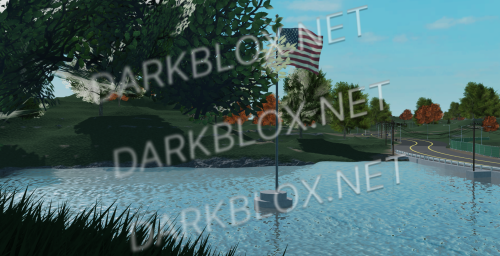 THIS MAP IS NOT SCRIPTED FREEMONT MAP Map details City/ county area Drag Strip DOT/ Fire/ Police Stations Full Highway Detailed Terrain shopping areas Gas stations Hilly roads (Some with views) Ponds/ lakes 3 neighbors 4 camping sights Good Sized map Asphalt Roads Pot Holes Roleplay readyFree
