Registration is limited to Google Gmail & MailRU & Yahoo & Yandex email addresses.
Do not create multi-accounts, you will be blocked!

Esotili
Active Member
-
Joined
-
Last visited
-
 I just don't seem to understand how do you asset this, not because it's unmoral, i just mean that the tutorial that you gave is literally the one that is given when you buy the product, and it says that apparently it CANNOT work without another system: So yeah, i don't really know what im supossed to do here.
- 1 comment
- 1 review
-
 Couldn't really check if it works, but im pretty sure it asks for HTTP and that settings for the system to be able to check itself from the store and see if it was actually bought so it can work, although i didn't try, i believe that this wouldn't work just for that
 -
 Hola. Me venia a quejar de este avion, o mas bien, entrenador o ataque liviano, honestamente, siendo Argentino, me ofende totalmente que se usen para llevar a la isla de valepstein, en vez de llevarlos a la Pampa, o al Chaco para su eterno sufrimiento. Gracias.
 -
-
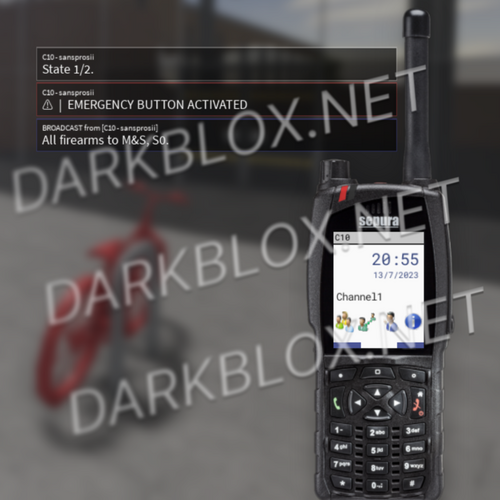
A good radio system, SFXs, system calls, etc, but that people can actually modify, not just an overly complex radio you can't understand.
-
So; what basically happens, is that i, nor about the 700 people who downlaoded this know nor said HOW to set it up, not even WHAT to set up; it may seem obvious to say 'just put in startergui' but it literally does not work. I don't know why, i don't know if you need any HTTP, any other script or something is missing in the file. Only thing i know, it does NOT show how to properly set this up, nor say what can be modified, as you could easily mess the file up by trying to modify either images, even the title. So yeah, someone WITHOUT developing skill issues can actually tell me how to setup this shit or have the correct file? I appreciate you reading this shi.
-
 First of all; Neurocoder doesn't answer comments nor dms; so basically he's just ignoring me and a lot of people. So, the main problem is, we don't really know where to put this, and if we do, it just doesn't work. I've reviewed the model, and i haven't seen an actual script that made the images change, play sounds nor anything, and when you place it in StarterGui it just stays there and doesn't do anything. So, yeah. If Neurocoder does get this thing to work, i would really appreciate it, but for now, don't download it unless he gives out a public answer/fix to this. Hope this helped.
- 12 comments
- 1 review
-
gng can SOMEONE give me the actual working loading screen??? like, there are 3 uploads but none of them have nor a tutorial nor seem to work. If someone, somehow made it work, if you don't want to give me the model, PLEASE tell people how to use it :sob: :pray:
-
Shouldn't it be simple? i mean, i don't really know where to place it, but anyway, yes, we all need a tutorial about this. I have a question, is this entirely customizable? and if so, could you make a tutorial on how to properly do so? and if it isn't, well, i don't think you could make a tutorial ab it, soooo slide ur blue app or sm
- 12 comments
- 1 review
-
1
-
-
-
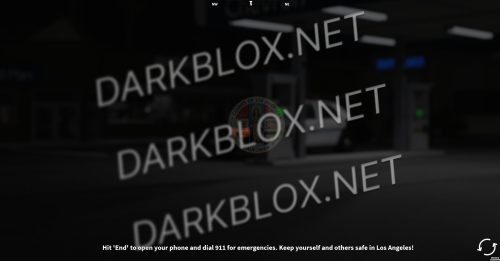 Either i don't know how to set ts up or it's just not working brovacho ✌🏻🥀
 -
add me on discord if u got a working radio sys w phone system ong :sob: :pray: business._.guy ----- btw u can send me pics about it, etc, etc i js actually need it so bad
-
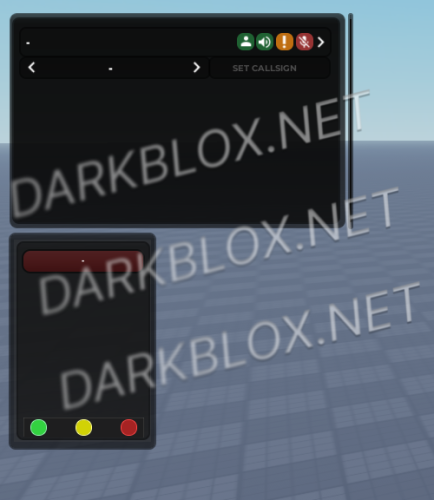 I set it up a day before, and today i try it out and it's all buggy, showing on teams it should not, not working UI (like microphone,etc) Idk why, but it just pmo Like frfrfr - btw how can i even translate ts to spanish fully; like 'Police Calls' 'Deattach' 'Attach', cuz like i can edit properly everything else even with the script itself