Skip to content
Do not create multi-accounts, you will be blocked!

Audio Stage Pro - Expansive Audio API Plugin 1.2.0

(0 reviews)

4 Screenshots

The real deal. This one is for all your needs involving the Audio API. The one problem was...the price. $12 dollars for a plugin. WHY?

Also I bought the one @Recon posted but he still hasn't updated it grrr

Full KasCode Suite on Darkblox for $0!!! (except the cheap one + it's bad)

How to Install Plugin guide for dummies (READ ME BEFORE COMPLAINING)

Original Description

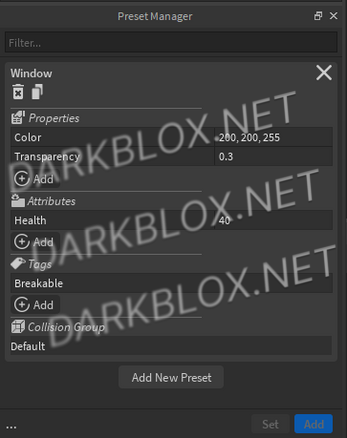
Update Summary: Added support for six new Audio Instances, as well as several QoL improvements.

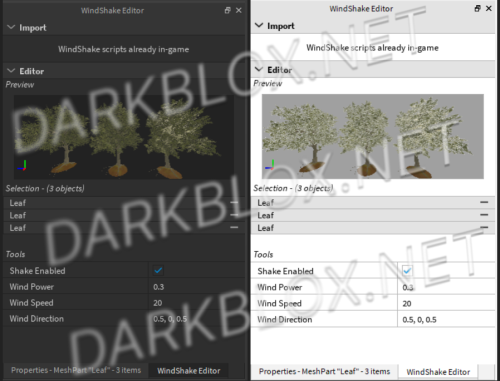
A powerful, node-based plugin to create intricate Audio Instance setups (or "Stages") for anything. Utilize detailed visual editing for various Instances to fine-tune the sound you want players to experience. Seamlessly load existing Stages from your game. Work stress-free with no saving, loading or exporting required.

Find any audio with no limits:

https://create.roblox.com/store/asset/71491760965703/Audio-Library-Pro-Advanced-Music-and-SFX-Search

Edit Sound instances with ease:

https://create.roblox.com/store/asset/10655138745/SFX-Editor-Pro-Powerful-Sound-Effects-Editing

_v1.1.0

What's New in Version 1.2.0

Released

holy shit this is very outdated so here's the Up-To-Date one

Update Summary: Added presets, keybinds, support for secondary pins and improvements across the board.

last plugin update May 30, 2026

User Feedback

Recommended Comments

A Random Niko

Active Member

Full KasCode Suite on Darkblox for $0!!! (except the cheap one + it's bad)

cuz db didn't let me update the edits

Recon

Active Member

i don't own the plugin

A Random Niko

Active Member

On 3/27/2026 at 10:22 PM, Recon said:

i don't own the plugin

I didn't say you bought it, someone I know gave it to you.

Create an account or sign in to comment

Other files from A Random Niko


Powered by darkblox.net

Account

Navigation

Search

Search

Configure browser push notifications

Chrome (Android)
  1. Tap the lock icon next to the address bar.
  2. Tap Permissions → Notifications.
  3. Adjust your preference.
Chrome (Desktop)
  1. Click the padlock icon in the address bar.
  2. Select Site settings.
  3. Find Notifications and adjust your preference.