

For legal reasons i do not claim ownership of this nor the asseting of this mod.
Installation:
1. Open OpenIV.
2. Navigate to GTA V -> Mods folder -> update -> x64 -> dlcpacks -> patchday4ng -> dlc.rpf -> x64 -> anim -> ingame -> [email protected]
3. Place the files into the folder.
4. Go to menyooStuff.
5. Open FavoriteAnims.xml and copy & paste the animation text from readme.txt
6. Optional mods -> update -> x64 -> dlcpacks -> customanims -> dlc.rpf -> x64 -> anim -> ingame -> clip_mp_.rpf
Do not create multi-accounts, you will be blocked!
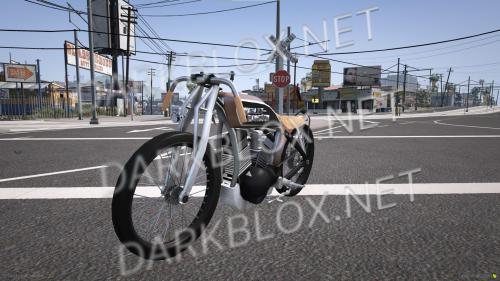
Bike Pose Pack 1.0.0
Have a special Question? Try to message author!
1 Screenshot
User Feedback
Other files from ilovemods
-
Free
- 2 Downloads
- 42.26 MB
-
Free
- 13 Downloads
- 3.53 MB
-
Free
- 3 Downloads
- 46.96 MB
-
- 7 Downloads
- 51.61 MB
-
- 3 Downloads
- 6.57 MB
-
Free
- 44 Downloads
- 2.23 MB
-
- 2 Downloads
- 25.13 MB
-
Free
- 11 Downloads
- 47.22 MB
-
- 2 Downloads
- 49.82 MB
-
- 24 Downloads
- 1 {!#[1:comment][?:comments]}
- 56.09 MB
-
- 56 Downloads
- 389.22 kB
-
Free
- 2 Downloads
- 42.57 MB
-
- 3 Downloads
- 47.58 MB
-
- 2 Downloads
- 16.58 MB


Recommended Comments
Create an account or sign in to comment