Skip to content
Do not create multi-accounts, you will be blocked!

Ashton County 1.0.0

(1 review)

2 Screenshots

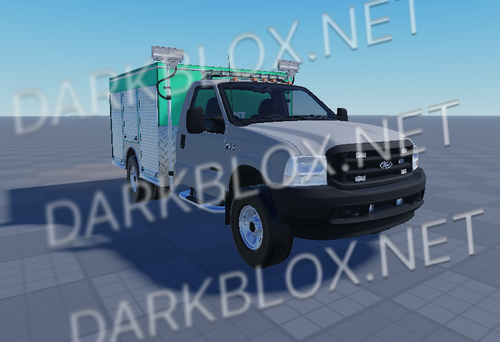
Since you chose not to remove my work and I redesigned approximately 30% of the map, you’re welcome to continue using it. The fire trucks and other assets are already in the game.

However, I need to address your ongoing behavior. The sexist comments and inappropriate remarks you make toward me on a daily basis are unacceptable. Calling me names, making sexual comments, or telling me to come to Pittsburgh, PA is unprofessional, uncomfortable, and completely uncalled for. I have no personal interest in you, and I’ve made that clear. Please stop pushing these interactions—they are inappropriate and unwanted.

— Ashton County Lead Developer

User Feedback

Recommended Comments

J.West

Active Member

Love that you’re still using my photos — can’t take your own? And that “message” you posted above is fake; you never sent that, you just wrote it to put it here. You were never the lead developer either — you just gave yourself the title. And you have said yourself that you’ve got that person blocked.

nradioware

Active Member

wild

J.West

Active Member

HEYYYYYYYY ANNA
I find it ironic that in your fake DMCA claim you stated we were using your assets. Keep in mind, the assets you’re referring to were free models, which you falsely claimed as your own. While you accuse us of using your assets, you are currently using our assets, which are protected by copyright, in your new game City of King. That game contains little to no original content and appears to be built entirely from stolen assets.

Also, you may want to remove my access — you seem to have forgotten I still had it. Oops. Roblox has already been notified, and the game will likely be taken down within the next 42 hours.

Love West

Create an account or sign in to comment

Other files from LittleDevil


Powered by darkblox.net

Account

Navigation

Search

Search

Configure browser push notifications

Chrome (Android)
  1. Tap the lock icon next to the address bar.
  2. Tap Permissions → Notifications.
  3. Adjust your preference.
Chrome (Desktop)
  1. Click the padlock icon in the address bar.
  2. Select Site settings.
  3. Find Notifications and adjust your preference.